Gallery
Skribe
A macOS menu bar app that wraps ElevenLabs Scribe v2 in a system-wide hotkey.
macOS · Menu bar app · Swift / SwiftUI · ElevenLabs Scribe v2 Realtime · WebSocket streaming
Skribe is a thin shell around a speech-to-text model that is good enough to use for real writing. The model is ElevenLabs Scribe v2 Realtime; the shell is a menu bar app and a global hotkey. The interesting part is the integration: picking a transcriber that corrects from context, and then giving it the shortest possible path from a key press to typed output in any focused field.
Anatomy
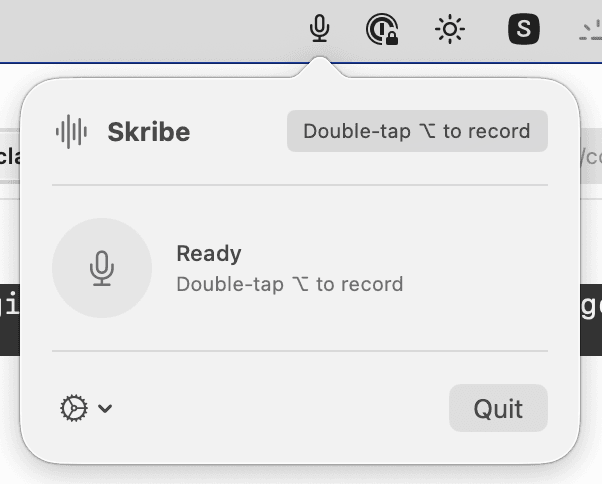
Skribe lives in the menu bar and stays out of the way. The popover is mostly a status surface — it confirms the app is running, exposes settings, and otherwise expects to be ignored. The real entry point is a global hotkey: a double-tap of Option starts a recording from anywhere on the system.
Recording
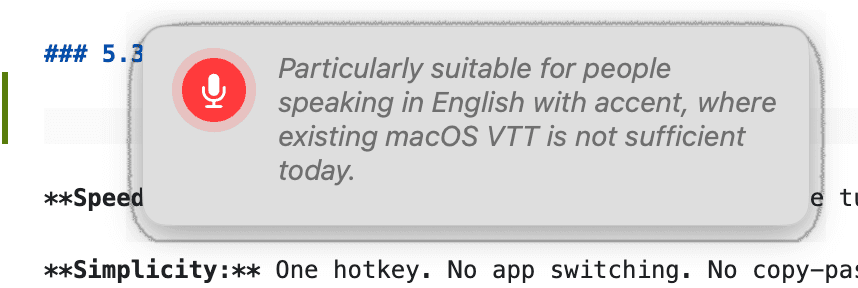
Holding the floor, a small overlay appears near the cursor with a live transcript. Audio streams over a WebSocket to ElevenLabs Scribe v2 Realtime, so the words land on screen close to the moment they leave your mouth. Scribe v2 uses surrounding context to repair mispronunciation and to fix the wrong word reached for in the moment, which is the difference between voice typing as a novelty and voice typing you would actually draft in. Three keys end the session: Option inserts the transcript into the focused app, Return inserts and submits, Escape throws the recording away.
Insertion
Output is not pasted — it is typed. Skribe synthesises keystrokes into whichever app held focus when the recording started, so the result behaves the same as if it had been entered by hand. That keeps dictation compatible with fields that reject paste, and with apps that watch for input events rather than clipboard writes.

How it works
The load-bearing decision is the model. Scribe v2 corrects from context, which is what makes the output usable without a cleanup pass; everything else is the thinnest viable shell around it. That shell is a Swift and SwiftUI app that runs outside the App Sandbox — a deliberate trade, because the sandbox blocks the two things the product needs to do: install a CGEvent tap for the global hotkey and synthesise keystrokes into other applications. Audio streams directly from the device to ElevenLabs over a WebSocket, with no intermediate server and no local transcript file. The ElevenLabs API key sits in the macOS Keychain rather than a plist or defaults entry. Nothing about a session persists once the keystrokes are delivered.
Of the AI integrations on this site, this is the one I reach for the most. Small surface, narrow job, used every day.